403 vs. 407 vs. 429 vs. Timeout: Which Part of Your Proxy Request Failed?
Start by separating a received HTTP response from a client deadline or network failure. Then trace the exchange that produced it.

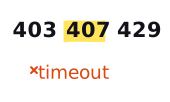
Before interpreting a 403, 407, 429, or timeout, ask one question: did the client record an HTTP response? The first three are protocol results. A cURL exit 28 or Playwright timeout is a client observation. Those facts point to different layers, and mixing them under one failed label discards the best evidence you have.
A status code is evidence, not attribution.
A response means some HTTP responder wrote back. It does not automatically name that responder. A failure without a status means the client stopped without recording response headers. It does not automatically name the slow or broken hop.
Trace the signal before naming the cause
Use the local decision tree to preserve exactly what you observed. It asks whether a response arrived, which exchange produced it, and what the client reported when no status was available. The result stays deliberately narrower than a root-cause verdict.
What each result actually says
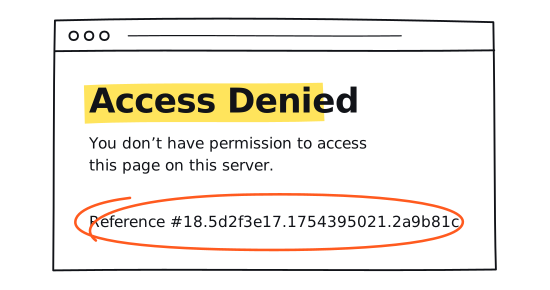
403: a responder refused the request
RFC 9110 defines 403 as a response from a server that understood the request and refused to fulfill it. That establishes refusal. It does not identify the origin application, CDN, gateway, or another destination-facing component, and it does not prove bot detection, bad proxy credentials, or a dead proxy.
If cURL response_code or a Playwright Response records 403 after a successful CONNECT, the strongest safe reading is destination-facing HTTP refusal. Preserve the CONNECT code, redirect chain, timestamp, sanitized response fingerprint, client version, and any permitted correlation ID. Use owner or provider logs to go further.
407: a proxy is asking for authentication
RFC 9110 defines 407 as a proxy-authentication challenge. A conforming response includes Proxy-Authenticate. This is the clearest proxy-layer signal in this group, but it still does not prove that the password alone is wrong. Credentials may be absent, rejected, expired, incomplete, or offered with an unsupported scheme.
Record the challenge scheme and realm, proxy endpoint alias, proxy scheme, CONNECT code, and whether credentials were configured. Never record the raw credentials in your evidence row.
429: a responder reports rate limiting
RFC 6585 defines 429 as too many requests in a given period. The specification does not define how the responder identifies a user or counts requests. A 429 does not reveal whether the counter is tied to an IP, account, cookie, resource, or something else. Retry-After is optional.
Capture Retry-After when present, the authorized request cadence, a sanitized response fingerprint, and the relevant non-secret session or account alias. Pause and follow the site owner's limits instead of turning the response into a retry experiment.
408 and 504: timeout responses
An HTTP 408 or 504 is still a received response. A 408 says the responding server did not receive a complete request within its wait window. A 504 says a gateway or proxy did not receive a timely response from an upstream server. Neither should be collapsed into a local client timeout.
CONNECT status and transfer status are different
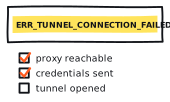
For HTTPS through an HTTP proxy, the client first asks the proxy to open a CONNECT tunnel. A 2xx CONNECT response switches that connection into tunnel mode. Any non-2xx CONNECT response means the tunnel was not formed, although the status alone may not explain the proxy's decision.
| Observation | What it establishes | What stays unknown |
|---|---|---|
| http_connect = 407 | The proxy challenged tunnel authentication | Which credential or account condition caused the challenge |
| http_connect = 2xx, response_code = 403 | The tunnel formed and a later HTTP responder refused | Which destination-facing component refused and why |
| http_connect = 2xx, cURL exit = 28 | The tunnel formed before cURL's configured deadline expired | Which later phase consumed the remaining time |
| Phase unknown | A status was captured without enough exchange context | Whether it came from CONNECT or the requested transfer |
cURL exposes the CONNECT response as http_connect and the requested transfer response as response_code in write-out. The CONNECT specification defines the tunnel boundary. Capture both fields whenever an HTTPS proxy is involved.
Capture the split in each client
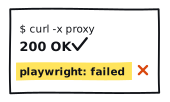
cURL exit 28 means its configured operation deadline was reached. It does not identify the stage. Playwright likewise treats HTTP error responses as HTTP-complete results and exposes client or transport failures through requestfailed. See the official cURL error list and Playwright request lifecycle.
Send a ticket that can be investigated
- coarse timestamp and timezone, client and browser-engine versions, and repeat count;
- proxy endpoint alias and scheme, plus a boolean for whether credentials were configured;
- CONNECT code, transfer response code, and normalized client error as separate fields;
- timeout kind, configured deadline, actual elapsed time, and available phase timings;
- Retry-After, response-header names, and a sanitized body fingerprint when permitted; and
- the strongest supported layer, what remains unknown, and the first controlled comparison that diverged.
If the clients disagree, use the cURL vs. Playwright four-cell diagnostic. If requests complete but the exit identity changes, open the sticky-session recorder. If the deadline is the only signal, decompose it with the latency worksheet.
Provider claims belong beside current rankings, underlying reports, and the public methodology. Follow the site owner's instructions and the responsible-use boundary whenever an access response tells you to stop.