Proxy Works in cURL but Fails in Playwright: A Layer-by-Layer Diagnostic
A four-cell test for finding the first place your direct, proxied, command-line, and browser results stop agreeing.

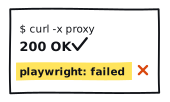
A green cURL command proves less than most people think. By default, cURL can exit 0 after receiving a complete 403, 429, or 500. It does not follow redirects unless you ask it to. It may also inherit proxy rules from environment variables or a local config file. Before you debug Playwright, establish what the cURL run actually did.
What is the first layer where direct cURL, proxied cURL, direct Chromium, and proxied Chromium stop agreeing?
That question turns one vague browser failure into four comparable observations. The disputed cell tells you what failed. The other three tell you how far the working path got without it.
Start with the four cells
Set each cell to what you actually observed. This local classifier does not make a request, store a value, or transmit anything. It names the first useful divergence and keeps the conclusion no stronger than the evidence.
Define what “cURL works” means
Record three cURL signals separately. Combining them into one pass/fail label is how a rejected tunnel, a completed HTTP error, and a successful document all end up called “works.”
| Signal | What it establishes | What it does not establish |
|---|---|---|
| Process exit code | Whether cURL completed the transfer according to its rules | That the response status was 2xx |
| Proxy CONNECT status | What the proxy returned while opening an HTTPS tunnel | That the requested transfer later succeeded |
| Transfer response status | The requested HTTP transfer produced a response | Which intermediary generated it or whether your assertion passed |
Once you know which cell diverged, classify the signal in the 403, 407, 429, and timeout hub. If the requests complete but the exit changes, use the sticky-session recorder. If the only signal is elapsed time, open the latency worksheet.
The cURL manual exposes these as the process result plus the response_code and http_connect write-out fields. A successful CONNECT is tunnel evidence. The requested transfer comes afterward.
Routing must also be explicit. cURL can read HTTPS_PROXY, ALL_PROXY, NO_PROXY, and a default config file. Chromium has its own proxy launch and context settings. “Direct” here means the application proxy is disabled; it does not prove the host has no VPN, transparent gateway, or other intermediary.
Follow the layers in order
Do not jump from an error string to a provider verdict. Walk from local configuration toward the application and stop at the first layer your controls do not clear.
- Local setup
Client and route selection
Exact URL, method, endpoint, proxy scheme, credentials, environment, versions, and timeout.
- Gateway
Socket and proxy authentication
Can the client reach the proxy, and does the gateway accept the configured authentication method?
- Tunnel
CONNECT and TLS
For HTTPS through an HTTP proxy, CONNECT opens first; target TLS happens inside that tunnel.
- Response
Main-document HTTP
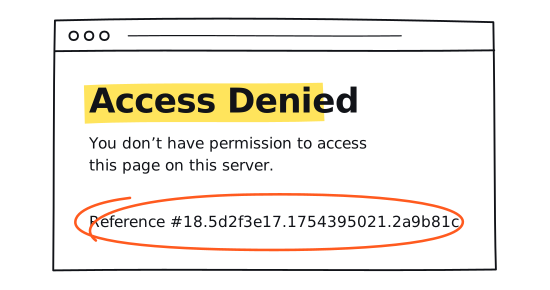
A 403, 429, or 500 is still an HTTP response. Record it separately from transport failure.
- Lifecycle
Commit and DOMContentLoaded
The document can arrive and still miss the later browser event your test waits for.
- Application
Your content assertion
A 200 can still be the wrong page. Transport success does not guarantee the expected application state.
Gateway and authentication
A CONNECT 407 is a proxy-authentication response. It says that proxy hop did not accept the attempt. It does not say the target returned 403, and it does not prove one particular cause. Credentials may be missing, wrong, expired, unacceptable under account policy, or offered with an unsupported scheme.
Tunnel and TLS
For an HTTPS URL through an HTTP proxy, the client connects to the gateway and sends CONNECT. After a 2xx CONNECT response, it performs TLS to the requested host inside the tunnel. One client’s CONNECT result does not prove the other client opened a tunnel. Keep certificate verification enabled; disabling it erases evidence without explaining the path.
Response and lifecycle
Playwright’s page.goto() does not throw merely because a server returns 403, 404, or 500. Those are responses. Playwright documents request failure separately from HTTP error status. Record response, commit, DOMContentLoaded, and your own content assertion as different observations.
Read the matrix without overclaiming
| Observation | What the evidence supports | Safe next action |
|---|---|---|
| Direct cURL has no response | The direct baseline is unresolved | Check the fixture, local network, DNS, TLS, and timeout first |
| Direct cURL responds; direct Chromium does not | A local browser/runtime or navigation difference exists | Reproduce with bundled Chromium and retain the normalized local error |
| Both proxied clients fail at gateway/auth | Endpoint, account, authentication, or route policy is the likely layer | Verify local configuration and send timestamps plus normalized evidence to the provider |
| Proxied cURL responds; proxied Chromium does not; direct controls pass | Browser-plus-proxy transport differs in this sample | Check explicit Playwright proxy settings and provider-side tunnel logs |
| All four receive responses, but statuses differ | The HTTP result differs by client or route | Preserve each status and correlate with authorized owner-side logs |
| All four receive 2xx; the assertion fails | Transport passed; application content remains unresolved | Inspect the permitted assertion and expected application contract |
Three repetitions under the same authorized scope can show whether an observation repeats. Mixed results are directional evidence, not permission to make a provider-wide claim. Four fresh connections also do not prove that a rotating service assigned the same egress route.
What ERR_TUNNEL_CONNECTION_FAILED means
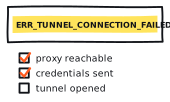
Chromium defines ERR_TUNNEL_CONNECTION_FAILED as error -111: a tunnel connection through the proxy could not be established. The current error list gives you the layer, not a single cause.
By contrast, Chromium uses ERR_PROXY_CONNECTION_FAILED when it cannot resolve or socket-connect to the proxy itself. That is useful earlier-stage evidence, though still not a full root cause.
Send a support ticket someone can use
A good ticket gives the provider or site owner enough detail to find the matching event without handing over your secrets. Include:
- coarse timestamp and timezone;
- operating system, Node, Playwright, bundled Chromium, and cURL versions;
- whether the failure was direct or proxied;
- cURL exit code, transfer status, and CONNECT status;
- whether Chromium reached commit and DOMContentLoaded;
- the normalized Chromium error, timeout, and repeat count; and
- the first layer where the four cells diverged.
Keep credentials, full gateway URLs, private target URLs, cookies, authorization headers, response bodies, screenshots, traces, HAR files, and raw errors local unless the recipient specifically needs them and is authorized to receive them.
For provider evidence, see the current Proxy Index rankings, open the underlying benchmark reports, and read the methodology. If an access response or instruction to stop appears, preserve the observation and follow the owner’s approved path. Our responsible-use policy explains that boundary.