Akamai 403 During Authorized Automation: What to Record Before Contacting the Site Owner
A screenshot of an Access Denied page gives the site owner little to search. Capture one clean incident, redact it carefully, and send a packet they can correlate with their own logs.

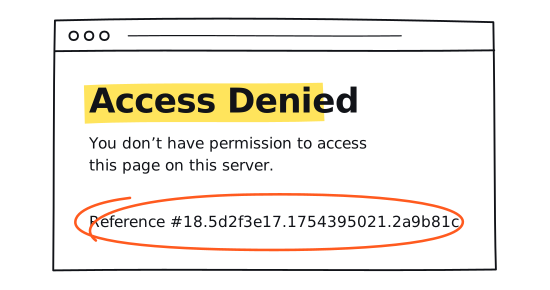
You send the site owner a screenshot. The page says Access Denied, with a reference string near the bottom. Your message says the automation was blocked. Their engineer opens Akamai Control Center and has no exact time window, request role, method, or safe route label to search.
That screenshot is useful context, but it is not an incident record. Before changing the browser, proxy route, session, rate, or headers, preserve one occurrence well enough that the owner can find the same request in systems you cannot see.
One clean incident beats ten retries whose settings changed along the way.
The short answer
Record the raw 403 and timestamp, including the time zone, first. RFC 9110 defines 403 as a response from a server that understood the request and refuses to fulfill it. The specification also says a client should not automatically repeat the same request with the same credentials. A retry can be a later, agreed test. It should not erase the evidence from the first incident.
Send the owner a narrow, redacted packet while the event is still recent. Ask which layer produced the response and what rule or policy was active at that time. Until they answer, keep the cause unclassified.
What the 403 proves
A recorded 403 proves that your client received an HTTP response for that request. It does not identify the component that wrote the response. An edge property rule, a security control, or origin application logic can each refuse a request. The same hostname can use several of those layers.
Akamai documents ordinary access control in Property Manager, separate from its application security products. Akamai also documents a standard 403 security deny and a Custom Deny action that can change the body and response format. A branded denial page, a blank body, or a particular phrase does not tell an outside operator which product or rule responded.
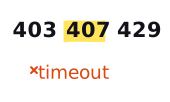
A destination-facing 403 is not a proxy authentication verdict either. RFC 9110 assigns 407 to proxy authentication that is missing or not accepted. If you saw a CONNECT response, a destination response, and a browser error at different moments, keep them as different observations. The status and timeout decision tree helps separate those boundaries.
Keep the raw result beside your classifier
The label in your own dashboard may already contain an assumption. In one authorized browser automation system we inspected, the same raw 403 became http_403 in one engine and bot_detected in three others. The server result had not changed. The client classifiers had.
That semantic drift matters in a support request. If the ticket says bot_detected while the owner's records show an ordinary property rule, the first conversation becomes a debate over labels. Preserve the raw status, detector result, normalized outcome, engine, and classifier version as separate fields. A normalized outcome is your system's interpretation, not evidence of the owner's cause.
Capture one incident before changing variables
The packet should let the owner narrow a search without exposing your credentials or customer data. Start with the first reproducible 403 in the authorized workflow. If you already retried, say how many times and include the time windows with their time zones for each attempt.
- Time window with seconds and a time zone. Use an ISO timestamp such as 2026-08-05T18:42:07Z, plus a short end time if the request took several seconds.
- Response phase. Distinguish a destination HTTP response from a CONNECT response, a request with no response, or an incident the owner has already correlated.
- Request role and method. Label the request as document, XHR, fetch, WebSocket handshake, or another resource, then record GET, POST, HEAD, OPTIONS, or the observed method.
- A path alias, not the full URL. Product detail page or account summary endpoint is usually enough for the first ticket. Remove query values and body content.
- Runtime facts. Record the Playwright package version, browser engine and full browser version, operating system, and headed or headless mode.
- Workload facts. Record request rate, active concurrency, retry count, and the pause between attempts.
- Pseudonymous route and session labels. Include reuse or reset state and an assignment generation if your system has one. Keep provider endpoints, credentials, exact IPs, and internal infrastructure names local.
- One known-good control, if you have it. State what changed between the working control and the failed request. Do not run a new control against the site without permission.
Use one locally generated incident ID across your browser, worker, and route logs. It is a correlation label for your own evidence, not a substitute for an identifier from the response. Never copy a request ID from one attempt onto another.
Build the evidence receipt
The worksheet below accepts categories and completion checks only. It has no free-text field for a URL, credential, IP address, response body, or request identifier. Use the Hold locally view to confirm what you retained. Use Safe to send to build the redacted handoff and see what is still missing. Nothing leaves the browser tab.
Reference strings and the owner's log search
If the denial page contains an Akamai Reference number or Global Request Number, preserve the complete string locally. The site owner can use Akamai's Translate Error String tool to search recent error data. Akamai documents a log window of either six or 24 hours, depending on the server and traffic conditions. That is why a same-day packet is much more useful than a carefully written ticket sent next week.
The tool's documented results may include the client and connecting IPs, method, URL, referer, user agent, response status, policy ID, rule ID, and request ID. A results link can open the currently active policy rather than the configuration that was active during the incident. Ask the owner to check the incident-time policy before treating the current view as proof.
Treat X-Akamai-Request-ID carefully. Akamai documents it as output associated with a diagnostic Pragma request. Do not expect it on an ordinary response. If it is already present, note its presence in the shared packet and retain the value locally for a private owner channel. Do not inject diagnostic Pragma headers as an outside operator.
A minimal Playwright recorder
A 403 is an HTTP response, so Playwright normally emits response and requestfinished events. It is not a requestfailed event merely because the status is an error. Playwright documents that distinction on its Request API. The recorder listens for the first 403 and prints only fields chosen for the receipt.
Pass a generic pathAlias and pseudonymous proxyRouteAlias from local configuration. Do not derive either one from a full URL at log time. The request ID check records presence only. If you need the value for owner correlation, capture it in a separate protected local record with access and retention controls suited to your environment.
Playwright's trace network view can contain request and response headers and bodies. Keep the original trace local. If the owner requests a trace or HAR, create a redacted copy, inspect it as plain text, and send it through an agreed private channel. Akamai's own sensitive header guidance treats authorization values, proxy authorization values, API keys, and security tokens as sensitive.
What stays local
- The complete Akamai Reference number or Global Request Number exactly as shown, plus any X-Akamai-Request-ID value already present.
- The exact egress IP and internal provider, route, worker, lane, or session identifiers.
- Unmodified traces, HAR files, screenshots with account details, raw response bodies, and full URLs.
- Authorization, Proxy-Authorization, cookies, storage state, credentials, API keys, tokens, request bodies, and sensitive query values. These should not enter the support packet at all.
What can go in the ticket
- Time window with its time zone, method, request role, path alias, raw status, retry count, and your locally generated incident ID.
- Playwright version, browser engine and version, operating system, rate, concurrency, and headed or headless mode.
- Pseudonymous route and session labels, reuse or reset state, and the known-good control result if one already exists.
- The normalized outcome, detector result, and classifier version beside the raw 403, clearly labeled as your tooling's interpretation.
- Whether a reference or request identifier was present. Send its value only if the owner asks, and only through the private channel they specify.
Ask the owner precise questions
A useful escalation is a request for correlation, not a theory disguised as a question. Ask the owner to answer these against the incident window:
- Which system produced the 403: origin logic, an Akamai property rule, or a security control?
- Which policy, rule, and action were active at the incident timestamp, and was the request found under the supplied reference or time window?
- What identity, network, rate, concurrency, session, and request-state requirements apply to this authorized integration?
- Which private fields would help the next correlation pass, and through what secure channel should you send them?
Those questions let the owner tell you whether the request matched the integration they intended to support. They do not ask for rule logic, browser fingerprints, or instructions for getting around a control.
What the first message can look like
Keep the opening note short enough that the incident fields remain visible. Name the authorized workflow, give the owner one time window with its time zone to search, describe the request role, and say what you need them to confirm. Put interpretation after the raw observation, if you include it at all.
Our authorized product-detail check received a destination HTTP 403 between [start with time zone] and [end with time zone]. It was a main-document GET through route alias [alias], at [rate] and [concurrency]. We recorded the browser and classifier versions. A Reference string was present and is available through your preferred private channel. Could you confirm which incident-time system and rule produced the response, then tell us the supported integration requirements?
Attach the sanitized receipt, not your whole debug folder. If the owner needs the exact Reference string, request ID, or egress IP, let them name the secure channel and the fields they want. This keeps the first exchange searchable while preserving the untouched local artifact for a deeper review. It also gives both sides a clean stopping point: no more requests until the owner has either correlated the incident or approved a bounded follow-up test.
Place the incident in the wider test record
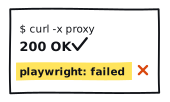
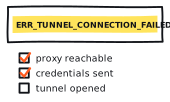
If a command-line control and Playwright disagree, use the cURL versus Playwright diagnostic. If Chromium never records a usable destination response, switch to the tunnel failure checklist. Those tools answer different questions, so keep their receipts separate.
When the incident becomes part of a provider evaluation, compare it with the current rankings and field reports. Read the methodology before turning one event into a provider-wide claim, and keep the work inside the site's responsible-use policy.