Playwright Proxy Authentication Across Chromium, Firefox, and WebKit: A Tested Compatibility Matrix

We ran one local authenticated proxy fixture through Playwright's three bundled engines. The supported configuration stayed consistent. The failure surfaces did not.

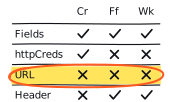
Open the compatibility matrix

Two Playwright proxy objects can look equivalent and behave nothing alike. Put the username and password in their documented fields and the request can reach its destination. Tuck the same values into the server URL and the proxy may never receive valid credentials. The error you see then depends on the browser engine and the target scheme.

A browser launch is not a proxy-authentication verdict. Record what the proxy saw and whether the controlled target answered.

The short answer

For an HTTP proxy using Basic authentication, pass server, username, and password as separate properties on Playwright's proxy object. The same object is available at browser launch (opens in a new tab) and when creating a new browser context (opens in a new tab). In our controlled run, that shape reached both HTTP and HTTPS destinations through the proxy in Chromium, Firefox, and WebKit.

How we ran the matrix

The observation used Playwright 1.62.1 (opens in a new tab) with the bundled browser builds (opens in a new tab): Chromium 151.0.7922.34, Firefox 153.0, and WebKit 26.5. All three ran headless on macOS 26.5.2 on Apple Silicon.

The HTTP proxy, SOCKS5 proxy, HTTP destination, and self-signed HTTPS destination all listened on 127.0.0.1. A fixture-only hostname resolved inside the proxy, which prevented WebKit's macOS loopback behavior from turning a direct connection into a false proxy pass. The proxy refused every nonlocal destination.

For each cell we recorded the configuration scope, target scheme, whether the proxy saw missing, valid, or invalid authentication, whether the target received the request, and the browser result. HTTPS contexts ignored the fixture certificate error only so certificate trust could not obscure the proxy-authentication test.

Filter the compatibility ledger

Compare the same local proxy fixture across Playwright's bundled Chromium, Firefox, and WebKit builds.

Playwright
1.62.1
Host
macOS 26.5.2 arm64
Observed
Aug 4, 2026

Controlled and local only. The fixture refused nonlocal destinations and recorded authentication as missing, valid, or invalid. No credential or header value appears here.

Engine columns
Test group

Showing 30 measured cells from 10 tests.

Playwright 1.62.1 proxy-authentication observations on a controlled local fixture.
ConfigurationScope and targetChromiumFirefoxWebKitWhat to do
Separate proxy fieldsBrowser launchHTTP
200 via proxy407 challenge, then valid authTarget reached
200 via proxyValid auth observedTarget reached
Use this shape for an authenticated HTTP proxy.
Separate proxy fieldsBrowser launchHTTPS via CONNECT
200 via proxyCONNECT challenged, then valid authTarget reached
Use this shape and validate the destination after the tunnel forms.
Separate proxy fieldsNew contextHTTP and HTTPS
200 on bothValid auth observedTarget reached
Use context scope when the proxy belongs to one isolated browser context.
Wrong proxy passwordBrowser launchHTTP
407 responseInvalid auth observedTarget not reached
NS_ERROR_PROXY_CONNECTION_REFUSEDInvalid auth observedTarget not reached
407 responseInvalid auth observedTarget not reached
Treat a returned 407 as a failed navigation outcome, even when goto resolves.
Wrong proxy passwordBrowser launchHTTPS via CONNECT
Fixture timeoutInvalid CONNECT auth observedTarget not reached
NS_ERROR_PROXY_CONNECTION_REFUSEDInvalid CONNECT auth observedTarget not reached
Fixture timeoutInvalid CONNECT auth observedTarget not reached
Use proxy-side evidence and target nonarrival; the error text is engine-specific.
Credentials inside server URLBrowser launchHTTP
407 responseValid auth not observedTarget not reached
NS_ERROR_PROXY_CONNECTION_REFUSEDValid auth not observedTarget not reached
407 responseValid auth not observedTarget not reached
Move the username and password into separate proxy fields.
httpCredentials onlyBrowser launch + context optionHTTP
Observed 200Valid proxy auth observedTarget reached
NS_ERROR_PROXY_CONNECTION_REFUSEDValid auth not observedTarget not reached
407 responseValid auth not observedTarget not reached
Keep origin credentials separate. Use proxy.username and proxy.password.
Manual Proxy-Authorization headerBrowser launch + context headerHTTP
ERR_INVALID_ARGUMENTProxy saw no requestTarget not reached
Observed 200Valid header observedTarget reached
Do not build around an engine split. Use the documented proxy fields.
SOCKS5 without authenticationBrowser launchHTTP
200 via proxyNo-auth SOCKS method selectedTarget reached
Supported in this run. Keep it distinct from authenticated SOCKS5.
SOCKS5 with username or passwordBrowser launchPreflight
Rejected before launchNo proxy requestTarget not reached
Playwright 1.62.1 does not support this configuration.

Separate proxy fields

Browser launch · HTTP

Chromium
200 via proxy407 challenge, then valid authTarget reached
Firefox
200 via proxy407 challenge, then valid authTarget reached
WebKit
200 via proxyValid auth observedTarget reached

Use this shape for an authenticated HTTP proxy.

Separate proxy fields

Browser launch · HTTPS via CONNECT

Chromium
200 via proxyCONNECT challenged, then valid authTarget reached
Firefox
200 via proxyCONNECT challenged, then valid authTarget reached
WebKit
200 via proxyCONNECT challenged, then valid authTarget reached

Use this shape and validate the destination after the tunnel forms.

Separate proxy fields

New context · HTTP and HTTPS

Chromium
200 on bothValid auth observedTarget reached
Firefox
200 on bothValid auth observedTarget reached
WebKit
200 on bothValid auth observedTarget reached

Use context scope when the proxy belongs to one isolated browser context.

Wrong proxy password

Browser launch · HTTP

Chromium
407 responseInvalid auth observedTarget not reached
Firefox
NS_ERROR_PROXY_CONNECTION_REFUSEDInvalid auth observedTarget not reached
WebKit
407 responseInvalid auth observedTarget not reached

Treat a returned 407 as a failed navigation outcome, even when goto resolves.

Wrong proxy password

Browser launch · HTTPS via CONNECT

Chromium
Fixture timeoutInvalid CONNECT auth observedTarget not reached
Firefox
NS_ERROR_PROXY_CONNECTION_REFUSEDInvalid CONNECT auth observedTarget not reached
WebKit
Fixture timeoutInvalid CONNECT auth observedTarget not reached

Use proxy-side evidence and target nonarrival; the error text is engine-specific.

Credentials inside server URL

Browser launch · HTTP

Chromium
407 responseValid auth not observedTarget not reached
Firefox
NS_ERROR_PROXY_CONNECTION_REFUSEDValid auth not observedTarget not reached
WebKit
407 responseValid auth not observedTarget not reached

Move the username and password into separate proxy fields.

httpCredentials only

Browser launch + context option · HTTP

Chromium
Observed 200Valid proxy auth observedTarget reached
Firefox
NS_ERROR_PROXY_CONNECTION_REFUSEDValid auth not observedTarget not reached
WebKit
407 responseValid auth not observedTarget not reached

Keep origin credentials separate. Use proxy.username and proxy.password.

Manual Proxy-Authorization header

Browser launch + context header · HTTP

Chromium
ERR_INVALID_ARGUMENTProxy saw no requestTarget not reached
Firefox
Observed 200Valid header observedTarget reached
WebKit
Observed 200Valid header observedTarget reached

Do not build around an engine split. Use the documented proxy fields.

SOCKS5 without authentication

Browser launch · HTTP

Chromium
200 via proxyNo-auth SOCKS method selectedTarget reached
Firefox
200 via proxyNo-auth SOCKS method selectedTarget reached
WebKit
200 via proxyNo-auth SOCKS method selectedTarget reached

Supported in this run. Keep it distinct from authenticated SOCKS5.

SOCKS5 with username or password

Browser launch · Preflight

Chromium
Rejected before launchNo proxy requestTarget not reached
Firefox
Rejected before launchNo proxy requestTarget not reached
WebKit
Rejected before launchNo proxy requestTarget not reached

Playwright 1.62.1 does not support this configuration.

Bundled browsers: Chromium 151.0.7922.34, Firefox 153.0, and WebKit 26.5. Headless on Apple Silicon. Results are versioned observations, not promises for another operating system, browser channel, proxy product, or authentication scheme.

The supported path stayed consistent

Separate proxy fields worked in every recommended cell. At launch scope, all three engines reached the controlled HTTP target and completed an authenticated CONNECT to the HTTPS target. The same fields at context scope also reached both destinations in all three engines. Unauthenticated SOCKS5 reached the local target as well.

That result is narrower than saying a proxy works in Playwright. It proves that this configuration completed this controlled path. Use the cURL-versus-Playwright diagnostic when the browser still disagrees with a command-line control, then validate the page your workload actually needs.

A 407 can look like a completed navigation

HTTP 407 (opens in a new tab) is a real response from a proxy that requires acceptable credentials. Playwright's page.goto() documentation (opens in a new tab) explains that valid HTTP error responses do not make navigation throw. In this run, Chromium and WebKit resolved the HTTP navigation with a main-document Response whose status() (opens in a new tab) was 407. The controlled target received nothing.

Firefox surfaced the same bad-password test as NS_ERROR_PROXY_CONNECTION_REFUSED. Against the HTTPS target, Firefox threw that error while Chromium and WebKit reached our navigation timeout after the proxy observed invalid CONNECT authentication. Those strings are observations from this fixture, not API promises. The stable fact was that valid authentication never reached the proxy and the target never answered.

If the status or error is still unclear, place it with the 403, 407, 429, and timeout decision tree. A response, a thrown navigation, and a target-side receipt are different observations.

Four configurations that look equivalent but are not

Credentials inside the server URL

The familiar http://user:pass@proxy:port shape failed in every engine. Chromium and WebKit returned 407 for the HTTP target. Firefox threw its proxy-connection error. Playwright does not document URL userinfo as the proxy credential path, and its current shared normalization rebuilds the server from protocol and host without carrying that userinfo forward. Use separate fields.

httpCredentials used as proxy credentials

The context httpCredentials option is for origin HTTP authentication. In our proxy fixture it happened to satisfy the challenge in Chromium, failed in Firefox, and returned 407 in WebKit. One observed Chromium pass does not make it a portable proxy configuration. Keep origin and proxy credentials in the fields that describe each one.

A manual Proxy-Authorization header

Putting Proxy-Authorization in extraHTTPHeaders failed before the proxy saw a Chromium request, with ERR_INVALID_ARGUMENT. Firefox and WebKit forwarded the header in this run. That engine split is enough reason not to build around the shortcut. The documented proxy fields also keep you from hand-building a sensitive Basic authentication (opens in a new tab) value in ordinary page headers.

SOCKS5 with a username and password

SOCKS5 without authentication worked in all three engines. Adding username or password fields was rejected before browser traffic with Browser does not support socks5 proxy authentication. URL-embedded SOCKS5 credentials also failed, and the fixture saw only the no-auth method. This is a Playwright limitation in the tested release, not a claim that the protocol cannot authenticate: RFC 1929 (opens in a new tab) defines SOCKS username/password authentication.

Use the separate fields, then validate the result

These examples use environment variables and a controlled or explicitly authorized fixture. They do not print proxy configuration or navigation error messages that may contain a sensitive URL. Replace the page marker with one that proves your own permitted fixture answered.

Known-good proxy configuration and a narrow receipt
LOCAL ONLY
import { chromium } from "@playwright/test";

function required(name: string): string {
  const value = process.env[name];
  if (!value) throw new Error("Missing environment variable: " + name);
  return value;
}

const proxy = {
  server: required("PROXY_SERVER"),
  username: required("PROXY_USERNAME"),
  password: required("PROXY_PASSWORD")
};

const browser = await chromium.launch({ proxy });
const context = await browser.newContext();
const page = await context.newPage();

Record enough to rerun the same test

A useful receipt identifies the Playwright version, bundled engine version, operating system, headed or headless mode, proxy scope, proxy protocol, target scheme, authentication shape, main-document result, and whether the controlled target was reached. Add a sanitized proxy-side authentication observation only when you own or are authorized to inspect that log.

  • Use a categorical auth value such as missing, valid, invalid, or not observed. Never persist the header value.
  • Keep proxy addresses, raw IPs, credentials, target URLs, cookies, storage state, traces, and customer identifiers out of the shared receipt.
  • Record a stable destination marker or fixture result. A 200 alone cannot prove the request used the intended route or returned usable content.
  • Treat timeout and engine error text as supporting evidence. The proxy observation and target receipt place the failure more reliably.

Limits and retest conditions

  • Not tested: Digest, NTLM, Bearer, or another proxy authentication scheme.
  • Not tested: TLS to the proxy, PAC files, WebSockets, headed mode, Linux, or Windows.
  • Not tested: branded Chrome or Edge channels, provider infrastructure, rotation, or retry behavior.
  • The self-signed HTTPS fixture used ignoreHTTPSErrors only to isolate tunnel authentication from certificate trust.

Rerun the matrix when Playwright, the bundled browser, the host operating system, the proxy protocol, or the authentication scheme changes. Keep the fixture and receipt shape fixed so a changed result is visible instead of being explained away by a changed test.

Place the result in the larger diagnostic

When Chromium reports a tunnel error before a usable response exists, work through the ERR_TUNNEL_CONNECTION_FAILED checklist. When one engine returns a response and another throws, keep both raw observations and compare the earliest layer where they diverge.

Use the same receipt beside the current rankings and published reports. Check the methodology before turning one local run into a provider claim, and keep every test inside the site's responsible-use boundary.

From the field notes

Continue this diagnostic.

Carry the same standard into provider research

Compare the evidence currently available for each proxy, then inspect the rules behind every public result.