HTTP 200, but the Automation Still Failed: Build a Validator That Catches It
A main-document 200 is a real HTTP success. This field guide adds the page, session, outcome, and budget checks that decide whether your authorized browser job actually worked.

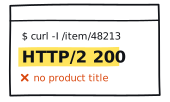
Consider a composite staging run. Playwright receives the main document, the server returns HTTP 200, and the expected shell renders. The records inside it are stale. The request succeeded; the job did not produce a result the workload could use.
A 200 is one observation. Your validator decides whether the job worked.
Start with manual ground truth
Complete the authorized flow manually before you automate it. Record the page you expect, the marker that proves the intended test session is active, the fields or settled state the job requires, and the time budget. If you cannot describe the correct result, the automation has nothing reliable to assert.
What HTTP 200 actually proves
RFC 9110 defines 200 as a successful request and says the response content depends on the request method. The broader 2xx class means the request was received, understood, and accepted. That is a meaningful HTTP verdict. It is not an application-level check of the page identity, session, record set, durable write, or elapsed budget.
Playwright's page.goto() documentation says navigation returns the main-resource response. It can throw for a TLS error, navigation timeout, unreachable server, or main-resource load failure, but it does not throw merely because the server returned a valid HTTP error status. Its Response.ok() checks only whether the status falls from 200 through 299. The body and business outcome remain yours to validate.
If no response appeared at all, use the status and client-failure decision tree. The ladder below starts after the main document has already returned 200.
Build the verdict above the 200
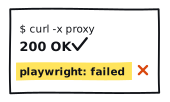
The worksheet begins with a fabricated run: the main document returned 200, the right page and session checks passed, but the required data validator failed. Change the selections locally. An unchecked gate remains unresolved evidence, not a success and not a diagnosis.
Read the gates in order
- 01
Expected document
Match the final URL pattern and a stable page marker. A shared header, title, or domain is too broad to distinguish the intended page from a signed-out or soft-error surface.
- 02
Authorized session
Assert a positive test-account or session sentinel when the flow requires one. If the fixture is public, mark the gate not required rather than inventing an authentication check.
- 03
Required data or outcome
Check the exact fields, entity identity, shape, and freshness the read job needs. For a write, confirm the settled state with bounded read-back.
- 04
Whole-job budget
Measure navigation, application assertions, read-back, and retries together. A valid result that arrives too late is correct but operationally over budget.
A good page can still depend on a bad request
The response returned by page.goto() belongs to the main resource. Playwright's response event can observe other page responses, while requestfailed records requests that failed without receiving an HTTP response. A required fetch can fail, return an unwanted status, or deliver invalid data after the document itself returned 200. Keep those observations separate.
Do not fail the job for every missing image, analytics request, or console warning. Name the dependencies the workload actually needs, then validate only those. The goal is a useful contract, not a perfectly quiet browser.
For writes, read the result back before retrying
A click, success banner, or accepted response can be an intermediate state. For an authorized write flow, confirm the settled state with a bounded read-back. RFC 9110's retry guidance warns against automatically retrying a non-idempotent request unless the client knows the original was not applied or knows the operation is effectively idempotent. An uncertain outcome is a reason to reconcile, not a reason to click again blindly.
Use assertions, not nap time
waitForTimeout() and networkidle do not describe the state your job needs. Playwright marks networkidle as discouraged for testing and recommends web assertions. Its web-first assertions retry the expected condition until it passes or reaches a declared timeout. Assert the URL, marker, field value, or settled state you need instead of sleeping and hoping.
This is the application-level half of the cURL-versus-Playwright diagnostic: first place the network observation, then assert the browser state that makes the result usable.
A small Playwright validator
This example uses a local or staging fixture placed in AUTHORIZED_FIXTURE_URL. The markers are illustrative. Replace them with assertions from your manual ground-truth pass, and keep real storage state and sensitive configuration outside the source and receipt.
Keep the failure labels narrow
| Verdict | Meaning | Boundary |
|---|---|---|
| DOCUMENT_MISMATCH | Expected URL or page marker failed | Cause still unknown |
| SESSION_FAILED | Required session sentinel failed | Cause still unknown |
| OUTCOME_UNCONFIRMED | Required data or durable state failed | Read and write checks stay explicit |
| VALIDATED_OVER_BUDGET | Correct result arrived after the limit | Correctness and timing stay separate |
| EVIDENCE_INCOMPLETE | A required assertion was not recorded | No silent pass |
| VALIDATED_SUCCESS | Every required gate passed | This bounded run only |
Record seven fields before changing a variable
- Verdict label from the earliest failed or missing required gate.
- Main-document status, recorded separately from the workload result.
- Document identity result: pass, fail, or not recorded.
- Session sentinel result: pass, fail, not required, or not recorded.
- Outcome validator result: pass, fail, or not recorded.
- Whole-job elapsed time.
- Declared whole-job budget.
Keep the receipt boolean, categorical, or aggregate. The worksheet above is a categorical projection; a production receipt should add the numeric elapsed time and budget. Do not include proxy URLs, full target URLs, raw IPs, cookies, storage state, authorization headers, selectors from sensitive applications, response bodies, account identifiers, traces, or customer data.
Use the same receipt across matched runs. The 30-minute workload benchmark gives you the run shape, while the success-rate normalization guide keeps the numerator and denominator visible. A 200 that fails this validator stays out of the validated-success numerator.
Use the receipt to keep one failed job in proportion. Compare it with the current rankings and published reports, then check the methodology before turning a bounded local observation into a provider claim.