How to Test a Proxy Provider Before You Commit: A 30-Minute Workload Benchmark
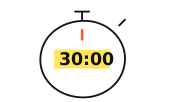
Freeze one authorized workload, run paired controls, and score every started attempt. Thirty minutes can screen a route without pretending to measure a whole provider.

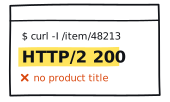
A quick speed test can tell you that one request completed. It cannot tell you whether the route works for your browser task. A fast route that misses the workload assertion, loses authentication, or needs repeated retries is not a bargain.
Can this exact product, route, and configuration complete my authorized workload from this runner today?
Thirty minutes is enough for a disciplined screen of that question. It is not enough for a provider-wide reliability claim, a tail-latency estimate, or a production capacity decision.
Freeze the test before the first request
Use the first four minutes to write the manifest. Do not issue a preflight or scored request until it is complete. The point is to prevent the test from quietly changing after an inconvenient result.
- candidate, product, route, requested-geography, and session-mode aliases;
- runner region and network class;
- cURL, Node, Playwright, bundled-browser, operating-system, and runtime versions;
- one owned or controlled HTTPS fixture;
- one representative browser workload you are explicitly allowed to automate;
- expected status plus a stable semantic assertion;
- concurrency 1, retries 0, fixed connection and context policy, and fixed deadlines; and
- the minimum acceptable task-success rate, successful-path latency gap, and cost per successful task.
The 30-minute run sheet
| Clock | Phase | What to do |
|---|---|---|
| 0:00 to 4:00 | Freeze manifest | Record every control and hard gate |
| 4:00 to 7:00 | Unscored preflight | Run one direct and one proxied fixture request; correct an obvious setup mistake, then freeze configuration |
| 7:00 to 13:00 | Browser block A | Run five direct/proxy pairs and alternate which arm runs first |
| 13:00 to 18:00 | Transport matrix | Run five direct/proxy cURL pairs against the deterministic fixture |
| 18:00 to 25:00 | Browser block B | Run five more paired workload attempts with the frozen configuration |
| 25:00 to 30:00 | Score and export | Produce attempt rows, rollups, a decision card, and limitations |
The preflight is not a free practice round. It separates a typo or unusable account from the scored run. If the route cannot be made testable by minute seven, report setup_blocked. Do not spend the remaining time adjusting settings until something passes.
Predeclare which browser arm runs first, then alternate across both blocks so direct-first and proxy-first each occur five times. Export pair ID, order, block, and timestamp. Use matching browser options and a fresh context for each arm while preserving the session mode you intend to buy. One attempt means navigation plus the declared assertion.
The default assumes one wall-clock deadline of no more than 30 seconds around navigation plus assertion, with room for context setup and export. Check that 10 × deadline plus harness overhead fits each browser block. If your legitimate workload needs longer, predeclare fewer pairs or extend the benchmark. Never stop silently after a favorable result.
Score the frozen proxy arm
The local scorecard covers only the ten scored proxied browser arms. The five cURL proxy controls belong in their own transport table, and direct-browser counts belong in the full attempt export. The calculator accepts aggregate counts only and cannot issue the final fit, reject, or inconclusive decision for you.
Give every started attempt one outcome
Create and timestamp the attempt row immediately before dispatching the browser or cURL operation. At that point it has started and belongs in the denominator, even if launch or client setup fails. Preserve raw status and error evidence, then close the row with exactly one terminal outcome.
| Outcome | Boundary reached |
|---|---|
| task_success | Navigation completed and the declared semantic assertion passed |
| assertion_failed | A response arrived, but the authorized task assertion failed |
| http_unaccepted | A final HTTP response arrived with an unaccepted status |
| proxy_auth | The proxy challenged authentication or the client recorded a proxy-auth failure |
| deadline | The configured wall-clock deadline expired |
| dns_failed | The client could not resolve the relevant name |
| connect_failed | Connection setup failed before a response |
| tunnel_failed | The HTTPS proxy tunnel did not form |
| tls_failed | The client recorded a TLS failure |
| connection_reset | The connection closed or reset before completion |
| client_error | The client or harness failed for another recorded reason |
| unknown | The evidence cannot place the failure more narrowly |
Apply those outcomes in a fixed order: proxy authentication first; then a no-response client failure such as DNS, connect, tunnel, TLS, reset, deadline, or another client error; then an unaccepted requested-transfer status; then the semantic assertion. Require the counts to sum to n.
Fixture and runner health are comparison-validity flags, not terminal network outcomes. Keep the observed timeout, reset, or status on the attempt, then mark the comparison fixture_or_environment_unhealthy when a predeclared control supports it. Never delete a timeout because it makes the chart untidy or promote a 200 to task_success when the assertion failed.
Report the arithmetic without laundering it
Show minimum, median, and maximum latency for successful paths beside the complete failure distribution. Skip p95. Ten attempts do not support a serious tail-latency claim, and attempts may share route, session, destination, and time-window state. Raw x/n counts are more useful for this screen than a naive confidence interval.
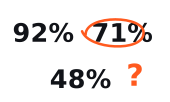
This route completed 8 of 10 authorized browser tasks in this run.
That sentence is appropriately narrow. Do not turn it into “the provider has an 80% success rate.” The median gap is descriptive too, not a paired causal estimate. A full recorder can calculate each successful pair's duration difference and show usable pairs beside started pairs.
Run narrow cURL controls
Use one fresh cURL process per arm against the controlled fixture. There is no automatic retry because each retry would add another physical attempt and change the denominator. Keep the endpoint and credentials in a permission-restricted local config excluded from source control.
The write-out requires cURL 7.75 or newer for exitcode. The cURL manual defines each field, and the HTTP proxy guide explains CONNECT. Prefer an encrypted proxy connection. With an http:// proxy and Basic authentication, credentials are not encrypted on the runner-to-proxy hop.
Make a bounded decision
| Decision | Evidence boundary |
|---|---|
| Provisional fit | The direct control met its floor, the candidate met every predeclared hard gate, and neither block breached its observed-count gate |
| Reject this configuration | The direct control was healthy, but this product, route, and configuration missed a hard gate |
| Inconclusive | The direct control missed its floor, the fixture changed, setup never stabilized, or planned attempts were not issued |
Before comparing the result with a vendor percentage, read Why Proxy Success Rate Numbers Disagree. Use the latency worksheet for phase boundaries and the status guide when a response needs placement.
Compare only the evidence available in current rankings and reports, with the public methodology beside them. Use owned, controlled, or explicitly permitted targets at low sequential load and remain inside the responsible-use boundary.